

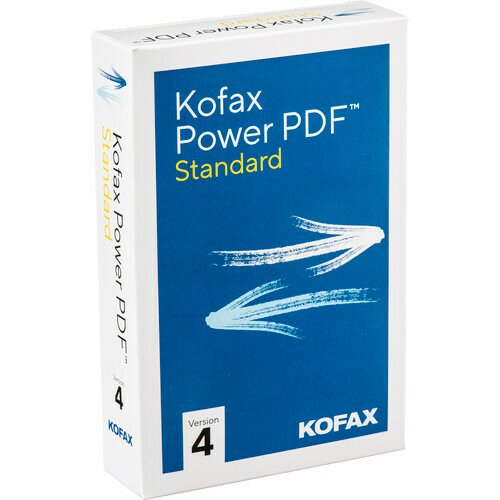


Kofax Power PDF 4 Standard
$0.00

Need Help? Chat with an Expert
Free Shipping & Returns
Money Back Guarantee
Online Support
Secure Payment
Overview
Sku: 6HQ116, 6HQ117
Mfg:
Delivery: Download by manufacture (delivery could be within hours/days)
[tab name=’Description’]
Kofax Power PDF
GAIN CONTROL OF ALL YOUR PDF
CONVERSION, EDITING, FORMS AND
COLLABORATION PROCESSES
Kofax Power PDF Standard is the leading PDF solution that
provides control over PDF files with the ability to create, convert
and assemble industry-standard PDF files. Kofax Power PDF
Standard is the ideal solution for small businesses and mobile
users who need a fast, versatile PDF solution that addresses their
everyday needs for efficient document creation and exchange.
[tab name=’Key Benefits’]
• Create and assemble PDFs that are compatible
with the ISO PDF 2.0 file format
• Accurately convert PDFs into fully editable
Microsoft Office documents
• Enhance document security with powerful encryption
• Work with PDFs on touch-enabled portable
Windows 10 devices
• Enjoy the same navigation experience as in
Microsoft Office
• Turn paper documents into searchable PDFs
more productively
• Touch up and edit text and images just like you
would with a word processing program
• Streamline document reviews and collaboration
• Perform efficient searches
[tab name=’Advantages’]
POWER PDF STANDARD ADVANTAGES
Maximize productivity and adoption with the
best navigation experience
Power PDF Standard offers a modern, intuitive user interface,
modeled after the acclaimed Microsoft Office ribbon interface.
The Quick Access Toolbar lets you create shortcuts to frequently
used features and capabilities.
Support for the new industry-standard PDF 2.0 format
The new ISO PDF 2.0 standard focuses on the file format,
assuring both compatibility and security with programs utilizing
and manipulating the file. With Power PDF Standard, you can
rest assured that you are creating the most compatible and
secure PDF documents possible.
Rely on the most accurate document and file conversion
With the industry’s best conversion technology, Power PDF
Standard precisely recognizes scanned text and faithfully
reproduces complex layouts with columns, tables and graphics.
It even includes a proofreader tool that allows users to see and
correct the text results.
Productive document review and mark-up
Dynamic stamps and a wide range of commenting tools give
users advanced functionality for efficient document reviews
and collaboration.
Combine all open documents in just one click
You can combine all open documents into a single PDF—perfect for saving
work and streamlining tasks. Just click the “Combine All” option on the
Home toolbar and bookmarks will be created from the file names of the
original documents.
Support for Microsoft Windows 10 touch-enabled devices
Navigate, type or draw annotations using a tablet and pen or a finger. Power
PDF Standard supports Microsoft Surface and other touch-enabled devices
and includes a “Touch mode” option that optimizes the size of toolbars and
tool icons so they are easier to press and navigate.
Work the way you want to
Change the interface to the color that suits you best. Choose from blue,
light gray, dark gray or the familiar purple. You may also now choose to view
documents in separate tabs inside one Power PDF window, or to view each
document in a separate Power PDF window.
[tab name=’Benefits’]
BENEFITS OF POWER PDF STANDARD
Don’t retype your documents
If you must work with PDF documents in other applications, don’t waste
time re-creating them—convert them. Complex layouts with columns,
tables and graphics are faithfully reproduced in Microsoft Word, Excel,
PowerPoint and Corel WordPerfect documents
Create and assemble PDFs easily from any application
Instantly create 100% industry-standard PDF files with security options
that are fully compliant and compatible with all PDF viewers. Combine
files and remove or replace pages with drag-and-drop ease
Archive important emails as PDFs
Save Microsoft Outlook and Lotus Notes emails as PDF files along with any
attachments and links.
Enhance document security
Add passwords with secure 128-bit or 256-bit AES encryption and permission
controls to PDF files to control document viewing, printing and modification.
Manage and access your documents in the cloud
Save and access your stored documents in the cloud by connecting
directly to Box, Evernote, Google Drive or Microsoft OneDrive, providing
access to your documents anytime, anywhere or by applications of
supported mobile devices.
Perform smarter searches
Benefit from advanced search functions that list and highlight all instances
of found words on the document, so you can locate them easily. Use the
intelligent Looks Like Search™ capability to find information like phone
numbers, email addresses and Social Security numbers via alphanumeric
patterns instead of exact text.
[tab name=’Requirements’]
• A computer with an Intel Pentium 4, higher, or
equivalent processor
• Supported operating systems: – Windows 10; 32-bit and 64-bit Editions
– Windows 8.1; 32-bit and 64-bit Editions
– Windows 7; 32-bit and 64-bit Editions with Service Pack 1
• 512 MB of memory (RAM), 1 GB recommended
• 700 MB of free hard disk space for application files;
additional space required for temporary installer files
and for additional user interface languages.
• Web access needed for product registration,
activation, product help and obtaining live updates for
the program.
• Microsoft .NET Framework 4.5. If it is not detected,
it installs with the product.
Note: Performance and speed will be enhanced if your
computer’s processor, memory and available disk space
exceed minimum requirements.
[tab name=’Misc Info’]
Disclaimer: Information may not be accurate or may change at any time. Access Scanning is just a re-seller, manufacturer owns rights and trademarks of software. Review manufacturer website for complete and accurate features.
Details
| specifications | |
|---|---|
| Weight | 0lbs |




Reviews
There are no reviews yet.