

Description
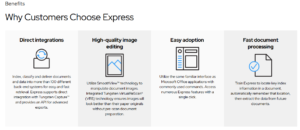
Kofax Express Software
How Express Can Help
Point and Click Rescan
When a page is scanned with a folded corner, a forgotten sticky note still affixed, or a double-feed escapes detection, Express inserts the rescanned document without rescanning the entire batch.
Flexible Document Separation
Fill the auto document feeder and divide the batch into individual groups automatically based on patch codes, bar codes or inserted blank pages, eliminating the need to scan documents one at a time.
VRS Corrections
If Express encounters a poor quality document it can’t convert into a legible image, the VRS Corrections feature reserves the image for later inspection and correction without needing to rescan the document.
Enhanced Bar Code Capabilities
Read most commonly used 1D and 2D bar codes, even those obscured with stamps, handwriting or coffee cup stains. Scanning in color improves accuracy, allowing flawless decoding of bar codes at low resolutions.
Visual Undo History
Ensure you don’t lose track of modifications. This feature shows the sequence of processes that were done—or undone—on any document image.
Unlike other scanner software, Tungsten Express allows you to scan multiple pages into a single document to save time. With VRS Elite, you don’t have to worry about changing settings for each document. You can even print a mixture of color and black and white images at the same time, and VRS Elite will automatically detect the optimal color settings based on your documents.
You can also use invoice scanning software together with InvoiceAgility to revolutionize the way you accept and organize invoices. Tungsten Express is specifically designed to help you save time with tedious tasks like scanning several pages.



Reviews
There are no reviews yet.