


Kofax Express Software Tungsten – Low Volume Production 80 Pages
$2,450.00 Original price was: $2,450.00.$1,610.00Current price is: $1,610.00.
Note: Maintenance service is required when new software is purchased.
Intuitive and user-friendly interface
Intuitive and user-friendly interface
- Execute commands with a single click for faster adoption and greater productivity.
Scale to support additional functions
- Multiple scan and image processing functions can run simultaneously to provide the highest throughput possible.
Tungsten Express scanning software is designed to convert any physical document into a digital file. To make your life even easier, Tungsten Express is compatible with almost every file type. Plus, Express scanning software can integrate with other Tungsten tools to allow you to easily organize, edit, convert, and share your digital documents.
From banking and financial services to the public sector, reliable document scanning software is essential to maintaining and securing crucial digital records.

Need Help? Chat with an Expert
Free Shipping & Returns
Money Back Guarantee
Online Support
Secure Payment
Overview
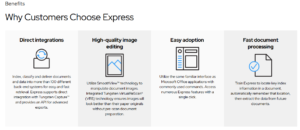
How Express Can Help
Point and Click Rescan
When a page is scanned with a folded corner, a forgotten sticky note still affixed, or a double-feed escapes detection, Express inserts the rescanned document without rescanning the entire batch.
Flexible Document Separation
Fill the auto document feeder and divide the batch into individual groups automatically based on patch codes, bar codes or inserted blank pages, eliminating the need to scan documents one at a time.
VRS Corrections
If Express encounters a poor quality document it can’t convert into a legible image, the VRS Corrections feature reserves the image for later inspection and correction without needing to rescan the document.
Enhanced Bar Code Capabilities
Read most commonly used 1D and 2D bar codes, even those obscured with stamps, handwriting or coffee cup stains. Scanning in color improves accuracy, allowing flawless decoding of bar codes at low resolutions.
Visual Undo History
Ensure you don’t lose track of modifications. This feature shows the sequence of processes that were done—or undone—on any document image.
Unlike other scanner software, Tungsten Express allows you to scan multiple pages into a single document to save time. With VRS Elite, you don’t have to worry about changing settings for each document. You can even print a mixture of color and black and white images at the same time, and VRS Elite will automatically detect the optimal color settings based on your documents.
You can also use invoice scanning software together with InvoiceAgility to revolutionize the way you accept and organize invoices. Tungsten Express is specifically designed to help you save time with tedious tasks like scanning several pages.
Details
| specifications | |
|---|---|
| Memory: | 12 GB GDDR5 @ 326 GB/s |
| Flash Memory: | 8GB |
| HDR10 support | Yes |
| Content protection: | HDCP 2.2 |




Reviews
There are no reviews yet.